.svg)

.svg)




.png)

Robotic Process Automation, or RPA, is what a lot of teams reach for when they’re tired of the same repetitive work eating up the day. It handles rule-based tasks, cuts down errors, and frees people up for the stuff that actually needs judgment. The examples of robotic process automation below show how it gets used in the real world, and why it keeps showing up in operations, finance, HR, and support.
What Is Robotic Process Automation (RPA)
RPA uses software bots to do repetitive digital work. They log in, move data around, click through screens, send messages, and follow rules the same way a person would. Just faster. And without getting bored halfway through.
That’s the basic idea behind every robotic process automation example in this post. The task has to be structured, repetitive, and predictable. That part often gets ignored, and then people wonder why the bot falls apart on messy processes.
13 Examples of Robotic Process Automation
1. Payroll Processing
Payroll is one of the clearest rpa examples because the work is repetitive and rule-heavy. Bots can pull employee data, calculate wages, apply deductions, and generate payslips.
RPA is used to move data between systems and apply the same payroll rules every cycle. That keeps things moving without hand checks on every line item.
The benefit is pretty obvious: fewer errors, faster processing, and less stress on HR and finance teams during payroll runs.
2. Employee Onboarding
Onboarding has a long list of small tasks, and that’s where RPA fits well. It can create accounts, send welcome emails, schedule induction sessions, and set up access across tools.
RPA is used to keep the onboarding flow consistent. New hires get the right steps in the right order, without someone manually chasing each one.
It saves time, reduces delays, and gives new employees a cleaner first experience with the company.
3. Invoice Processing Automation
Invoice processing is one of the most common examples of robotic process automation. Bots can read invoice data from emails, PDFs, or scanned files, then validate it against purchase orders and receipts.
RPA is used to enter the information into accounting tools, route invoices for approval, and flag mismatches for review. This is where things usually break if people still do it manually.
The payoff is faster payment cycles, fewer data-entry mistakes, and better vendor relationships.
4. Claims Administration
Insurance claims involve a lot of checking, routing, and repeat work. RPA can extract claim details, verify policy information, and push the case to the right team.
It’s also used to handle straightforward claims faster, especially when the rules are clear and the data is complete.
The main benefit is speed. Customers get responses faster, and teams spend less time sorting basic claims by hand.
5. Account Reconciliation
Reconciliation is tedious, and that’s exactly why bots work well here. They compare records from banks, card systems, and internal ledgers, then point out differences.
RPA is used to match transactions and surface exceptions for human review. It keeps the process moving without someone checking every entry line by line.
That means better accuracy, fewer missed mismatches, and less time wasted on routine comparisons.
6. Credit Card Applications
Credit card applications usually follow a fixed path, which makes them a good fit for automation. RPA can pull applicant details, verify identity, run checks, and help with early-stage decisions.
The bot takes care of the repetitive screening work so underwriters can focus on the cases that need judgment.
That shortens turnaround time and improves the customer experience. Nobody likes waiting around for a simple approval.
7. Inventory Management
Inventory teams deal with constant updates, and bots can help keep up. RPA can monitor stock levels, create purchase orders when thresholds are hit, and update systems in real time.
It’s also useful for matching physical counts with system records and flagging gaps.
The result is fewer stockouts, tighter control, and less manual tracking across locations.
8. Customer Complaints Handling
Customer complaints come in through email, forms, and support channels, which makes them a decent fit for automation. RPA can sort incoming complaints, assign them, and send basic acknowledgments.
It’s used to keep response times down and make sure nothing gets lost in a queue.
That part often gets ignored until the backlog starts growing. Then it becomes obvious why automation mattered.
9. Expense Management
Expense claims are repetitive and usually follow the same pattern. Bots can read receipts, classify expenses, check policy rules, and send items for approval.
RPA is used to speed up reimbursement and reduce the back-and-forth between employees and finance.
The benefit is a smoother process for everyone. Less manual checking, fewer policy misses, faster payouts.
10. Employee Offboarding
Offboarding is one of those processes where missed steps can turn into real problems. RPA can revoke access, cancel licenses, prepare final pay details, and trigger exit surveys.
It keeps the checklist moving in the background so nothing gets left open by accident.
That matters for security and compliance. It also saves HR from chasing the same cleanup tasks every time someone leaves.
11. Automated Email Processing
Email automation is one of the cleaner rpa examples because the inputs are already digital. Bots can read incoming messages, classify them, pull out important details, and route them to the right person.
RPA is used here to handle the repetitive sorting work and even send replies for common requests.
The obvious win is faster handling. The less obvious one is that teams stop losing time to inbox triage.
12. Finance Operations
Finance teams use RPA for a lot of the same reasons: repetitive work, strict rules, and too many systems. Bots can move data between tools, generate reports, reconcile records, and run basic checks.
It’s especially useful during month-end close, when everyone is trying to do the same tasks at once.
That usually means less manual effort, cleaner reporting, and fewer delays in the close process.
13. Fraud Detection and Prevention
RPA helps teams monitor transactions and spot patterns that look off. It can flag suspicious activity, gather relevant data, and kick off the next step in the review process.
In practice, it works best as the first layer of defense. It watches for issues and pushes the right cases to humans quickly.
That improves response time and helps reduce losses before they spread.
Also Read: Robotic Process Automation Software
RPA Use Cases Across Industries
RPA shows up in different places depending on the business, but the pattern is usually the same: repetitive work, lots of handoffs, and a need for consistency.
- Banking: loan processing, credit card applications, fraud detection. Banks deal with enormous volumes of structured data that needs to move fast and without errors. RPA handles the repetitive parts — pulling credit reports, validating application fields, flagging suspicious transactions — so human staff can focus on decisions that actually need judgment.
- Healthcare: patient data management, claim handling, appointment support. Data entry in healthcare is brutal. Records across multiple systems, insurance verifications, prior authorizations — all of it manual, all of it error-prone. RPA doesn't fix broken systems, but it stops humans from having to copy the same information between them five times a day.
- Finance: invoice automation, reconciliation, report generation. Month-end close is where finance teams feel this the most. Pulling numbers from different sources, matching entries, generating reports — RPA handles the mechanical parts and cuts the process from days to hours in a lot of cases.
- HR: employee onboarding, offboarding, payroll tasks. Onboarding has a surprising number of steps that don't require human thought — creating accounts, sending forms, updating systems. RPA gets that done before the new hire's first day. Offboarding too, which often gets neglected and creates security gaps when it's done manually.
- E-commerce: order processing, email updates, inventory tracking. Order volume spikes fast, especially around promotions. RPA keeps the backend moving — confirming orders, triggering shipping updates, adjusting inventory counts — without the team having to scale up headcount every time there's a sale.
Benefits of RPA Implementation
Cost Reduction
RPA can lower operational costs by taking over repetitive work that would otherwise need manual effort. That’s one reason companies see a return quickly once the right process is automated.
Improved Accuracy and Consistency
Bots follow rules the same way every time. That cuts down on mistakes and keeps the process steady, especially when the work is repetitive and high volume.
Increased Productivity
People stop spending their day on small tasks that don’t need them. Bots handle the routine stuff, and teams get more time for analysis, exceptions, and actual decision-making.
Enhanced Employee Satisfaction
It’s not glamorous work to copy data between systems all day. Taking that off people’s plates usually helps morale, even if nobody says it out loud.
Scalability and Flexibility
RPA can scale with workload without needing the same kind of headcount increase. Add more bots, adjust the process, keep moving.
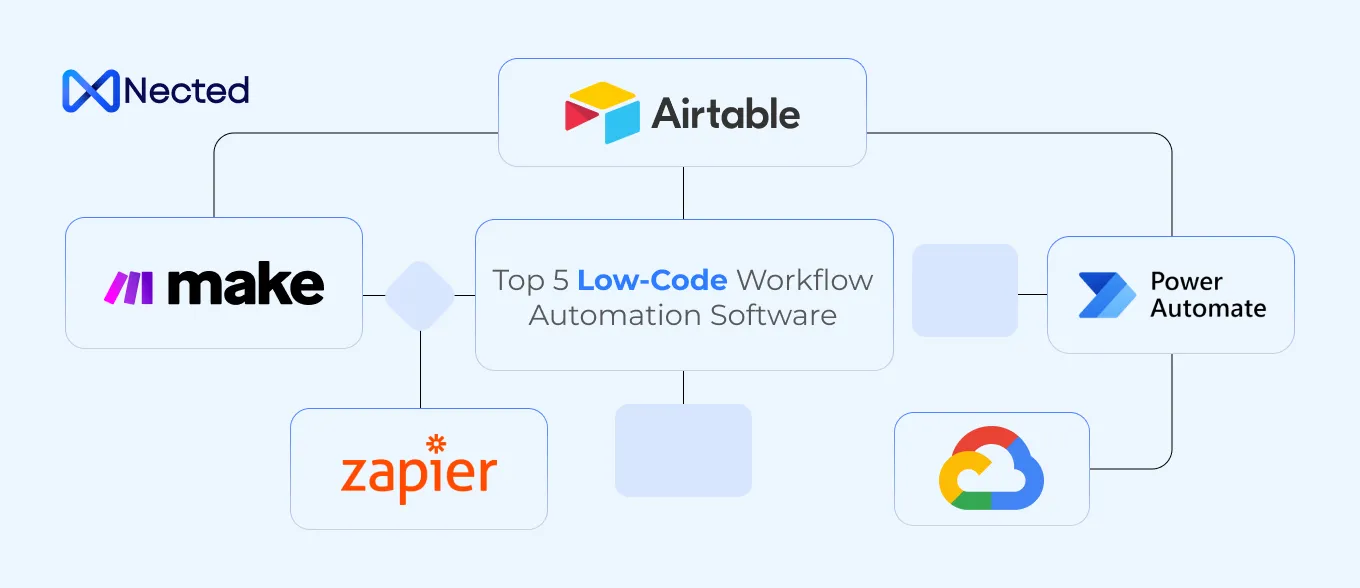
Read Also: Top 10 Low Code Workflow Automation
Challenges and Considerations
Choosing the Right Processes to Automate
Not every task should be automated. The best candidates are repetitive, rule-based, and stable enough that the process won’t change every week.
Integration with Existing Systems
RPA usually works at the interface level, which helps a lot, but system compatibility still matters. If the apps are messy or inconsistent, the bot will feel that pretty quickly.
Employee Training and Change Management
Automation changes how people work, so teams need some training and context. If that part gets skipped, adoption gets awkward fast.
Maintaining and Updating RPA Systems
Bots don’t just run forever on their own. Screens change, rules change, and the automation needs to be checked and adjusted along the way.
Nected stands out as a no-code/low-code automation platform that makes RPA easier to build and manage across teams. It gives businesses a practical way to automate repetitive work without leaning too hard on engineering. For teams trying to get started without a long setup cycle, that matters.
Also Read: Design Pattern of Rule Engine
FAQs
Q1. What is RPA and its example?
RPA, or Robotic Process Automation, uses software bots to handle repetitive, rule-based tasks. A common robotic process automation example is payroll processing, where bots collect employee data, calculate pay, apply deductions, and generate payslips.
Q2. How is RPA used in banks?
Banks use RPA for things like credit card applications and fraud detection. It helps with form checks, verification, transaction monitoring, and faster decision-making.
Q3. What can we automate with RPA?
Quite a bit. Payroll, onboarding, invoice processing, claims, reconciliation, inventory, complaints, expense handling, email sorting, finance work, and fraud checks are all common rpa use cases.
Q4. How difficult is fusing RPA in your processes?
It can be messy if the process is poorly chosen or the systems don’t play nicely. The implementation is easier when the workflow is stable and the automation platform is simple to work with.
Q5. How does Nected's no-code platform accelerate RPA adoption for businesses?
Nected speeds up adoption by reducing the amount of technical setup needed. Teams can design and deploy automation without deep programming work, which makes it easier to start small and expand later.



.svg.webp)
.webp)




.webp)
.webp)






.jpeg)




%20(1).webp)