


Operational teams increasingly need to automate decisions that sit between business rules and day-to-day execution. Eligibility checks, approvals, pricing, risk assessment, customer routing, exception handling, and policy validation are often still implemented through application code, spreadsheets, manual review, or disconnected workflows.
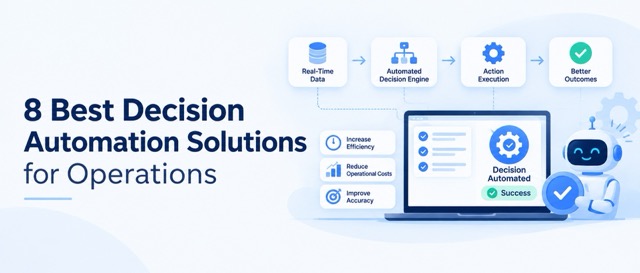
Decision automation moves this logic into systems that can evaluate structured inputs against defined rules or decision models and return an actionable outcome. The surrounding workflow can then use that outcome to approve a request, route a case, trigger an API, request human review, or stop processing.
Also Read: Decision Automation vs Decision Management: Key Differences & Use-Cases
The challenge is that decision automation platforms are not interchangeable. Some are primarily rule engines for developers. Others combine decisioning with workflow and case management, while platforms such as FICO focus heavily on analytics-driven decisioning and regulated use cases.
This comparison evaluates eight decision automation solutions based on decision and rules management, workflow and integration capabilities, governance, scalability, and deployment considerations for operations and technology teams.
How We Evaluated These Decision Automation Solutions
We evaluated each platform against the technical capabilities that matter when moving operational decisions from application code and manual review into a production decision layer.
- Decision Logic and Authoring: We assessed how each platform models operational logic through rule sets, decision tables, DMN, decision strategies, or native rule languages. We also looked at whether teams can change decision logic without repeatedly modifying and redeploying the surrounding application.
- Execution, APIs, and System Integration: We looked at how decisions are executed inside real operational workflows, including REST APIs, database connections, application integrations, and workflow orchestration. Platforms were also assessed on whether a decision can be consumed as a service rather than remaining embedded inside a single application.
- Testing, Versioning, and Governance: We considered the controls required to safely change production decision logic: rule versioning, testing and simulation, approvals, role-based access, audit trails, deployment controls, and the ability to trace which version or logic produced a decision.
- Operational Scale and Total Cost: We considered the architecture required to run decisions at production volume, including deployment options, execution infrastructure, and operational overhead. Cost was evaluated beyond licensing, especially for open-source engines, where engineering, hosting, maintenance, and integration effort can become a significant part of the total implementation cost.
The List, at a Glance
Also Read: Top 12 Decision Management Software for Managing Decisions Effortlessly
Top 8 Decision Automation Solutions for Operations
IBM Operational Decision Manager
IBM Operational Decision Manager is an enterprise decision-management platform built for organisations that need to author, test, deploy, and govern business rules as controlled decision services. Rather than treating rules as application code, ODM provides a dedicated environment for managing decision logic and its lifecycle.
Its architecture is particularly relevant when decisions such as eligibility, approvals, claims, compliance checks, or customer qualification need formal ownership and controlled changes. Decision Center provides a governed environment for managing rules, while testing and simulation capabilities allow teams to validate changes before they reach production.
Key features:
- Decision services: Centralises complex business rules so applications can consume decisions without embedding every rule directly into application code.
- Testing and simulation: Allows teams to validate decision behaviour before deploying changes to production.
- Governed rule lifecycle: Supports permissions, approvals, controlled authoring, and deployment of decision logic.
Pros:
- Strong governance for enterprise decisions: Suitable when rule changes require formal ownership, review, and control.
- Designed for complex rule environments: Better suited to large decision portfolios than lightweight rule engines.
- Multiple deployment options: Can fit organisations with different enterprise infrastructure requirements.
Cons:
- Higher implementation overhead: Designing and governing a large enterprise decision environment requires substantial architecture work.
- Commercial enterprise licensing: Licensing and implementation costs need to be justified by the criticality and scale of the decisions.
- More platform than simple rule execution: Smaller teams may not need its full governance and decision-management stack.
Drools
Drools takes a fundamentally different approach. It is an open-source rule engine designed primarily for developers, with support for Drools Rule Language (DRL), DMN decision models, and complex event processing. The engine can be embedded into Java applications, giving engineering teams direct control over how rules are executed within their application architecture.
That control comes with responsibility. Unlike a managed decision platform, Drools does not provide the surrounding operational environment for every part of the decision lifecycle. Engineering teams typically own deployment, testing pipelines, application integration, monitoring, and infrastructure. This makes it attractive when the requirement is a programmable rule engine rather than a business-user-facing decision-management platform.
Also Read: Classic Rule Engine vs Decision Engine Explained
Key features:
- DRL rule engine: Lets developers express complex business logic using Drools Rule Language.
- DMN support: Allows teams to represent decisions using the standardised DMN approach alongside native rules.
- Complex Event Processing: Supports event-driven logic using temporal and sliding-window conditions.
Pros:
- No commercial rule-engine licence: The open-source model gives engineering teams control over the runtime.
- Programmable rule behaviour: Suitable for logic that goes beyond straightforward decision tables.
- Java integration: Fits naturally into Java-based enterprise application architectures.
Cons:
- Engineering-heavy implementation: Rule development and lifecycle management require developers with the relevant expertise.
- Infrastructure remains your responsibility: Teams must design deployment, monitoring, integrations, and operational controls.
- Limited business-user experience compared with low-code platforms: It is primarily an engineering technology rather than a business-rule management interface.
Nected
Nected is designed around a more operational approach to decision automation, combining business rules, decision tables, RuleSets, APIs, data connections, and workflow automation. Instead of requiring teams to build a rule engine and then separately connect it to an operational workflow, Nected provides both decisioning and workflow capabilities within the same platform.
This is particularly useful when decision criteria change frequently and the logic should not have to move through the application's entire development and release cycle. A pricing, eligibility, routing, or approval decision can be modelled using multiple conditions, exposed through an API, and then used as an input to subsequent workflow actions.
Nected also provides staging and production environments, rule testing, versioning, rollback, and dependency mapping, which makes the rule lifecycle more explicit than simply storing conditions inside application code.
Key features:
- Decision Tables and RuleSets: Handles multi-condition decisions and grouped rule logic without requiring each decision to be hardcoded into an application.
- API and data connectivity: Allows decisions to consume data from databases and services and return outcomes through APIs.
- Staging, testing and rollback: Supports controlled promotion of rule changes instead of directly modifying production logic.
Pros:
- Separates frequently changing rules from application releases: Useful for pricing, eligibility, routing, approval, and policy logic that changes regularly.
- Decisioning connects directly to workflows: The result of a rule can become the input to the next operational action.
- API-first architecture: Existing applications can call the decision layer without rebuilding their surrounding architecture.
Cons:
- Not intended to replace a full BPM suite: Organisations requiring deep case management or BPMN-centric process modelling may need another platform.
- Decision quality still depends on input data: Externalising rules does not solve poor, incomplete, or inconsistent source data.
- Enterprise architecture still sits around the platform: Identity, master data, observability, and broader process infrastructure may remain the responsibility of surrounding systems.
Pega
Pega combines decision management with case management and workflow automation. Its decision layer can use business rules, decision strategies, and predictive or adaptive models, while the workflow layer manages the case lifecycle around those decisions.
That distinction matters for operations teams. Pega is not primarily about exposing an isolated rule such as “approve or reject.” It is better suited to situations where the decision changes what happens next in a larger operational case. An insurance claim, for example, may require eligibility checks, risk assessment, document collection, routing, human review, and resolution, all within one process.
Also Read: Rule Engine vs Workflow Engine: Key Differences
Key features:
- Decision strategies: Combines business rules with analytical and predictive logic to determine operational outcomes.
- Case management: Maintains the wider lifecycle of a case instead of treating the decision as an isolated API call.
- Intelligent routing: Can use rule-based or predictive approaches to determine where work should go next.
Pros:
- Tight decision-to-process integration: Decision outcomes can directly affect case progression and routing.
- Handles human-in-the-loop operations: Useful where automated decisions still need escalation or manual review.
- Broad operational coverage: Brings decisioning, case management, workflow, and automation into one environment.
Cons:
- Large platform footprint: Teams looking only to externalise business rules may be adopting substantially more functionality than required.
- Decision-management licensing can vary: Some decisioning capabilities may require additional licensing.
- Requires platform expertise: Complex case and decision architectures need careful process and solution design.
FICO Platform
FICO Platform is positioned around decision intelligence rather than basic rule execution. It combines decision logic with analytics, machine learning, optimisation, and data-driven decisioning, making it particularly relevant when an operational decision depends on more than a fixed set of business conditions.
This distinction makes FICO particularly relevant to high-value decisions in financial services. A lending or fraud decision may need to combine customer data, analytical models, policy rules, risk signals, and optimization rather than simply evaluate a static rule. For BFSI teams, this makes the platform more relevant to risk-intensive workloads than general-purpose operational rules.
Key features:
- Decision intelligence: Combines data, analytics, models, and decision logic within the decision process.
- Optimisation: Supports decisions where the objective is to select the best available outcome rather than simply return a binary result.
- Governed decisioning: Provides controls appropriate for high-value decisions where traceability and decision governance matter.
Pros:
- Strong fit for financial decisioning: Particularly relevant to credit, fraud, lending, and other risk-heavy use cases.
- Analytics and rules can work together: Useful when static business rules alone cannot capture the decision.
- Designed for operational decision scale: Built around deploying analytical and decision assets into production environments.
Cons:
- Primarily enterprise-oriented: Its capabilities are better justified by substantial decisioning requirements.
- More than a rules engine: Teams needing only configurable business rules may not need its analytical and optimisation capabilities.
- Requires specialised expertise: Advanced risk decisioning typically involves data, domain, modelling, and engineering teams.
Decisions
Decisions combine low-code rule authoring with workflow and application development. Its rules engine supports visual rule construction, Truth Tables, statement rules, and expressions, while those rules can be executed directly inside flows or exposed through APIs.
The platform is therefore useful when the requirement is broader than a standalone decision API. Teams can build the decision logic alongside forms, workflows, and the operational application that consumes the result. This makes it a practical option for internal business applications where rules and process logic need to evolve together.
Key features:
- Visual rule designer: Represents conditions and outcomes without requiring every rule to be implemented as custom code.
- Truth Tables: Structures multi-condition business decisions in a format suited to operational rule management.
- Rules inside workflows and APIs: Allows the same decision logic to control internal flows or be consumed by external applications.
Pros:
- Low-code rule development: Reduces custom development for straightforward operational decision logic.
- Rules directly control workflows: Decision outcomes can determine which path an operational process follows.
- Application and decision layer together: Useful for teams building internal operational applications rather than only exposing a decision service.
Cons:
- Less code-centric than Drools or Camunda: Engineering teams wanting deep programmatic control may prefer developer-first platforms.
- Creates platform dependency: A larger low-code implementation can increase reliance on the platform's application model.
- Not specialised for risk decisioning: Organisations with sophisticated credit, fraud, or risk models may need a more domain-focused platform.
Appian
Appian approaches decision automation primarily as part of enterprise process automation. Its platform combines process orchestration, decision rules, APIs, connectors, RPA, and AI so that a decision can sit inside a larger process involving people, systems, and automated tasks.
For example, an enterprise onboarding process can use decision rules to determine eligibility, invoke APIs to verify information, trigger document processing, route exceptions to an employee, and update downstream systems. The decision is therefore one component of the process rather than the entire automation architecture.
Key features:
- Process orchestration: Coordinates people, applications, rules, bots, and AI within one process.
- DMN decision rules: Supports reusable decision logic and DMN-based decision tables.
- Enterprise integrations: Connects processes to existing applications through APIs and prebuilt integration capabilities.
Pros:
- Strong end-to-end process coverage: Decision logic can directly participate in larger operational workflows.
- Useful across heterogeneous enterprise systems: Suitable when automation spans APIs, applications, people, and RPA.
- Process-level visibility: Provides a broader operational view than a standalone rules engine.
Cons:
- Broader than decision automation alone: It can be excessive when the only requirement is to externalise business rules.
- Process design is still required: Complex automations need proper application, integration, and workflow architecture.
- Commercial platform economics: Licensing needs to be evaluated against the wider process-automation footprint.
Camunda
Camunda is a developer-focused process orchestration platform built around BPMN and DMN. BPMN defines the operational process, while DMN decision tables can evaluate business decisions at specific points within that process. APIs and execution visibility allow those models to become part of an application's runtime architecture.
Camunda therefore makes the most sense when the decision cannot be separated from the process around it. An order, onboarding, claims, or approval workflow can be modelled in BPMN, with DMN invoked whenever the process needs to evaluate eligibility, routing, prioritisation, or another business decision.
Key features:
- BPMN process orchestration: Models long-running, multi-step business processes and their execution paths.
- DMN decision modelling: Uses decision tables and FEEL to represent executable business decisions.
- Developer APIs and execution visibility: Connects process execution to application architectures while providing operational visibility into running processes.
Pros:
- Standards-based architecture: BPMN and DMN provide explicit models for both process and decision logic.
- Strong engineering control: Fits teams that want orchestration integrated closely with their own applications and services.
- Decision-process integration: DMN outcomes can directly determine the next BPMN path.
Cons:
- Requires process-modelling expertise: Teams need familiarity with BPMN and DMN to get full value from the platform.
- Not primarily a standalone rules engine: Its strongest use cases combine decisioning with process orchestration.
- More engineering-led: Teams seeking primarily business-user-driven rule management may prefer Nected or Decisions.
Factors to Consider When Choosing a Decision Automation Solution
- Decision Logic and Rule Management: Look at how easily teams can define and update rules for use cases such as eligibility, pricing, approvals, routing, and risk checks. Platforms that support decision tables, rule sets, DMN, or visual rule builders can reduce the need to change application code for every business-rule update.
- APIs, Integrations, and Data Sources: Check how well the platform connects with your existing applications, databases, APIs, and enterprise systems. For businesses, this can be particularly important when decision logic needs to work across CRM, ERP, payment, lending, insurance, e-commerce, or internal operational systems.
- Testing, Versioning, and Governance: Business rules often change as policies, products, pricing, and compliance requirements change. Evaluate whether the platform provides rule versioning, testing, approvals, audit trails, role-based access, deployment controls, and rollback so changes can be introduced without disrupting production systems.
- Scale, Deployment, and Total Cost: Consider decision volume, response-time requirements, cloud or self-hosted deployment, infrastructure requirements, and ongoing engineering effort. Open-source platforms can reduce licensing costs but may require more internal work for hosting, integration, monitoring, and maintenance, while enterprise platforms may offer stronger governance at a higher overall cost.
Bottom Line
The right platform depends on your decision complexity, integrations, governance, and engineering needs. Drools and Camunda suit engineering-led teams, while IBM ODM, Pega, and FICO fit complex enterprise decisioning. Appian and Decisions work well when decisions are part of broader workflows.
For teams that need to externalise changing business rules, connect decisions through APIs, and automate operational workflows, Nected offers a focused approach with rules, decision tables, RuleSets, integrations, and built-in testing and versioning.
FAQs
What is decision automation?
Decision automation uses software to evaluate inputs against business rules, decision tables, models, or policies and return an outcome automatically. Common use cases include eligibility checks, pricing, approvals, risk assessment, routing, and exception handling.
How is decision automation different from workflow automation?
Decision automation determines what should happen, while workflow automation manages what happens next. For example, a decision engine may determine that a loan application requires manual review, while the workflow routes it to the appropriate team.
Which decision automation platform is best for businesses?
It depends on the use case. Nected fits teams that need configurable rules, API-based decisioning, and operational workflows. IBM ODM, Pega, and Appian suit broader enterprise environments, while FICO is more relevant to risk-heavy decisioning. Drools and Camunda are better suited to engineering-led implementations.
Can decision automation work with existing APIs and databases?
Yes. Platforms such as Nected, IBM ODM, Pega, Appian, Decisions, and Camunda provide ways to connect decision logic with APIs, databases, applications, or workflows. The key is ensuring the platform can access the data required for a decision and return the result to the system that needs it.
Can business teams change decision rules without changing application code?
Many platforms support this, but the level of business-user control varies. Rule-focused and low-code platforms can allow authorised teams to modify decision tables or rules without changing the surrounding application. Developer-centric platforms such as Drools typically require greater engineering involvement.
When should a business use a decision automation platform?
A decision automation platform makes sense when the same business decisions are repeated at scale, rules change frequently, manual reviews create delays, or decision logic is becoming difficult to maintain inside application code. It is particularly useful for processes involving eligibility, approvals, pricing, risk, routing, or policy checks.
What should teams evaluate before implementing decision automation?
Evaluate the decision logic, required integrations, rule change frequency, testing and versioning, governance, expected decision volume, deployment model, and total implementation cost. For regulated use cases, also consider auditability, approvals, access controls, and traceability of automated decisions.